Processing JSON files, how do I configure?

Hello - we've been trying to process a JSON file by using the JSON filter but no content is extracted. How do I do this:
{
"meta":{
"title":"Sample text",
"keywords":"Sample keywords",
"description":""
},
"general":{
"menuNext":"Next",
"menuPolls":"Sample polls",
"menuWinners":"Winners",
}
}
-
Before Wordbee or Beebox can process your specific files, you need to tell it which content shall be extracted for translation.
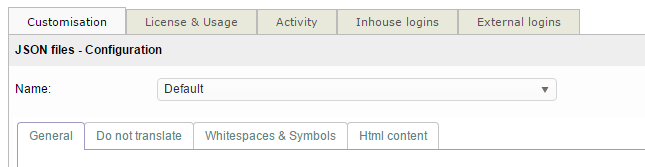
You configure a JSON filter from "Settings" > "JSON files". You can edit the default filter or add a new one. Then edit the filter details:
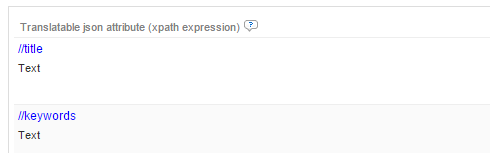
Scroll down to the Translatable Content section and fill in so called xpath expressions.
To extract all JSON nodes for translations use:

To extract specific JSON nodes use for example:
HTML content?
If a node or nodes contain HTML code, you should tell the system. It then protects HTML markup during translation:

Encoded HTML is for content looking like:
{ "title": "<strong>New title" }
CDATA HTML is for content looking like:
{ "title": "<strong>New title" }
0
Bitte melden Sie sich an, um einen Kommentar zu hinterlassen.
Kommentare
1 Kommentar