Replace numbers in automatically

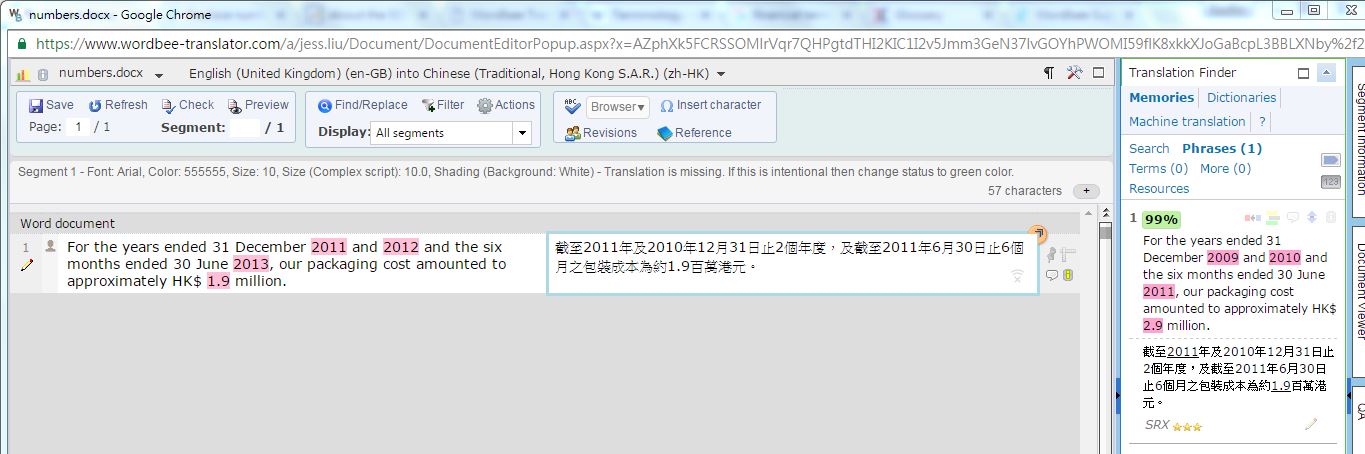
I enabled "replace dates and numbers" in Translation Finder. However, sometimes, the numbers and dates are not replaced automatically. For example, in a source segment "For the years ended 31 December 2011 and 2012 and the six months ended 30 June 2013, our packaging cost amounted to approximately HK$ 1.9 million", the numbers in TM match can be replaced with "2011" and "1.9" but "2012", "31", "30" are left out.
The TM match is "Income tax expenses amounted to approximately HK$1.1million, HK$1.8 million, HK$1.2million for the years ended 31 December 2013 and 2014 and the six months ended 30 June 2015, respectively."
I wonder if there is any rule for this "replace dates and numbers" feature
-

You say that "sometimes, the numbers and dates are not replaced automatically". Can you show a few examples where the feature is working and a few where it is not working.
Best
0 -
There is an example in the previous post. Here is a similar one.
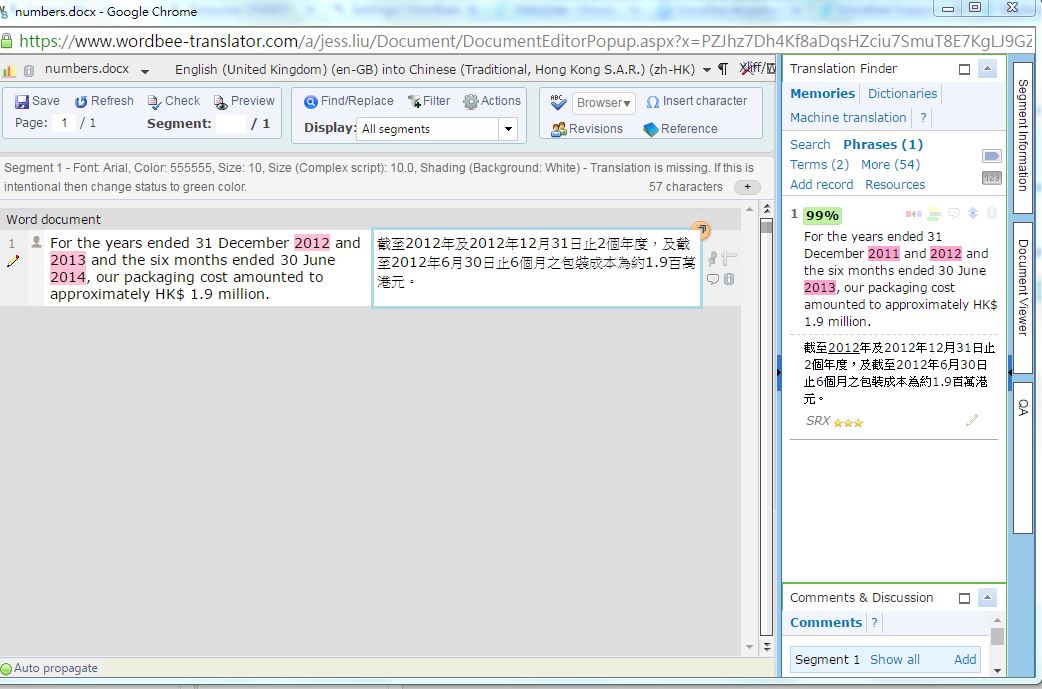
only 2012 was replaced. 2013 and 2014 were not.
0 -
Hi Teofil,
Is there any comment to my question?
0 -
Jessica, I need to know first if this feature does not work at all or only in this case.
0 -
It works. But in some case, it doesn't. I understand why it doesn't work in those cases. So I gave this example. I want to know the logic so that I know how to optimize the source or configure a QA check for this problem.
0 -
Do you use various Word count profiles in your projects? Please check.
0 -
I have two Word Count profiles. I use different Word Count profiles in the ongoing projects. But I only use one profile in the project mentioned above. I
0 -
Send me please screenshot with settings of the Word Count profile you are using for the project we are talking about.
0 -
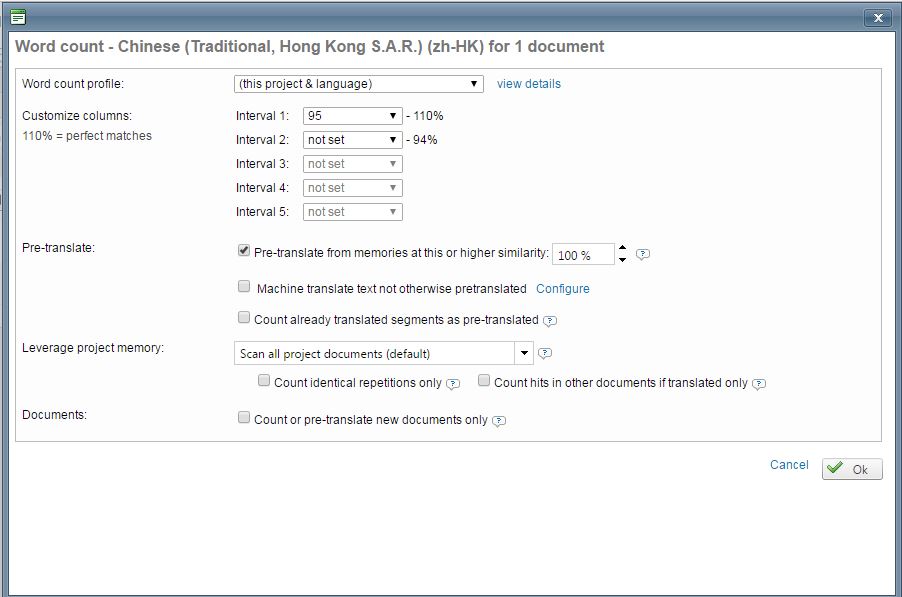 0
0 -
this is the profile I use in this project.
0 -
Could you change the setting for "Pre-translate from memories at this or higher similarity" to 90%?
Let me know if it helps
All the best
0 -
Thank you for your reply. I clear the previous word count.
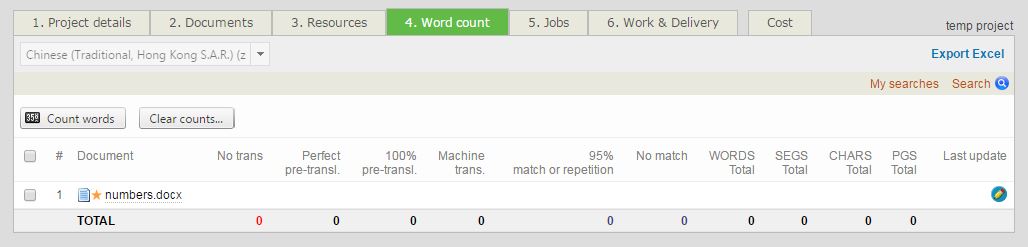
Change the setting for "Pre-translate from memories at this or higher similarity" to 90%.

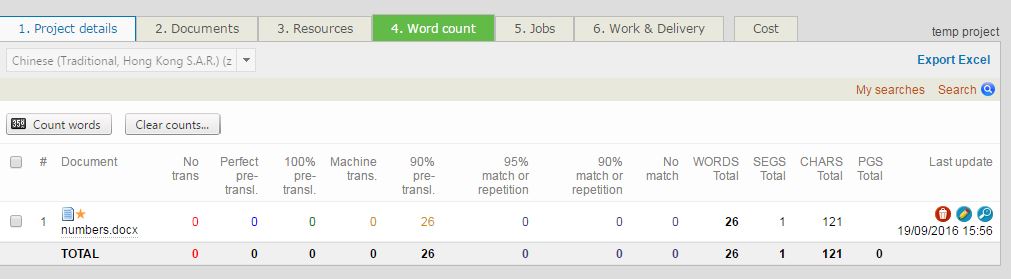
The problem is not solved.
 0
0 -
hi, is there any update with this request?
0
Please sign in to leave a comment.
Comments
13 comments