Taking out MT when translator has already started - Standard project

Dear Team,
We have created a standard project using MT and the translator has started the work. However, the MT turns out to be so awful, we want to take it out to speed up the process and increase translation quality. How can we do so without losing the work the translator has already done?
I'm looking forward to hearing from you.
Kind regards,
Kim
-

Hi Kim,
it is quite simple to turn off MT for a project which was already started.
Just go to "Project Settings" and check you word count profile for the project:
1. Click "show all settings"
 2.Click your word count profile
3. You are taken to the profile. Click "Edit"
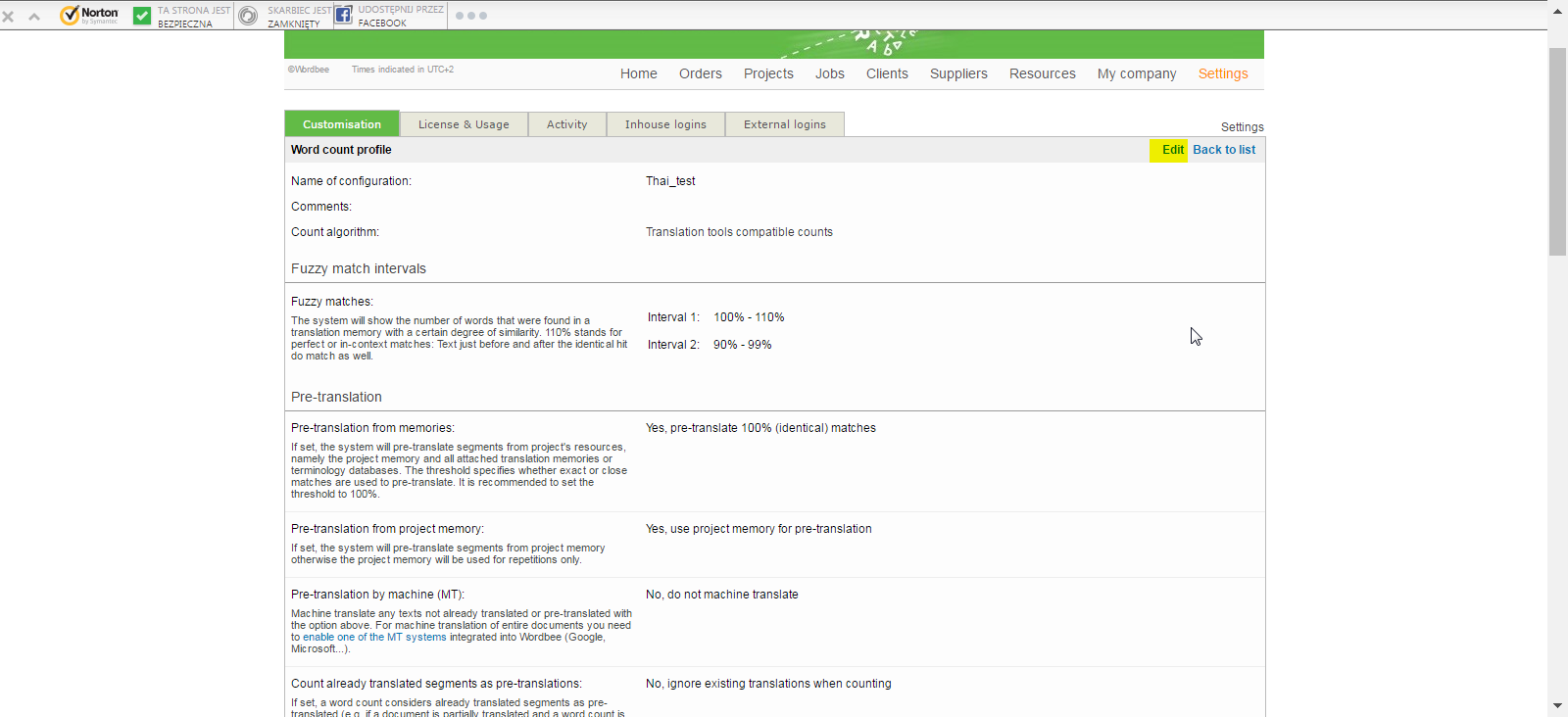 4. Untick the option from below screenshot
5. Go back to "Project Settings" and click "Edit"
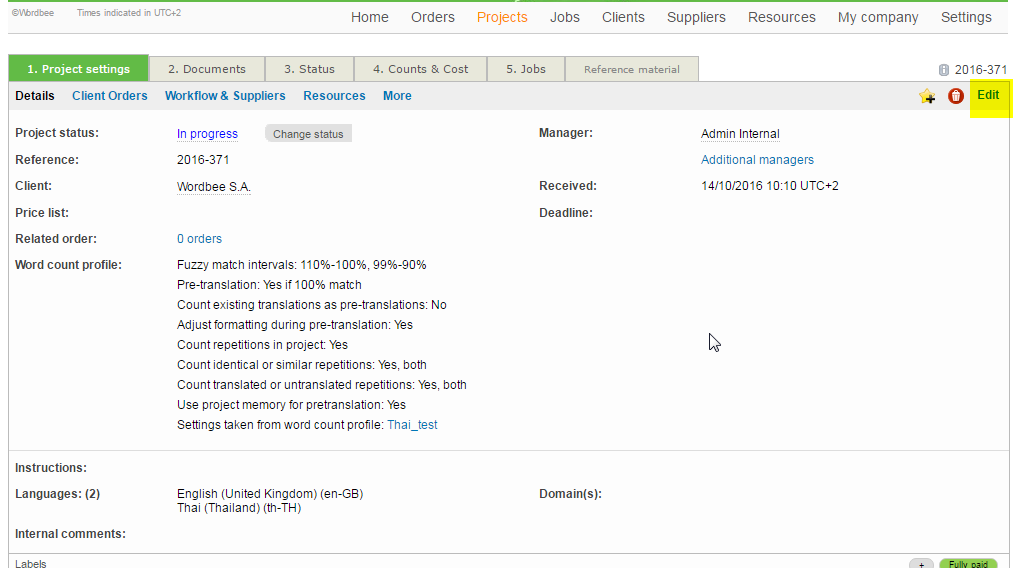 6. Change word count profile to any other word count profile but not the one you are using for this project and click "Save"
7. Then click "Edit" again and select back the profile you were using for this project and click "Save" again.
0
Bitte melden Sie sich an, um einen Kommentar zu hinterlassen.
Kommentare
1 Kommentar