
To be able to export all the the files in Xliff format you need to go to
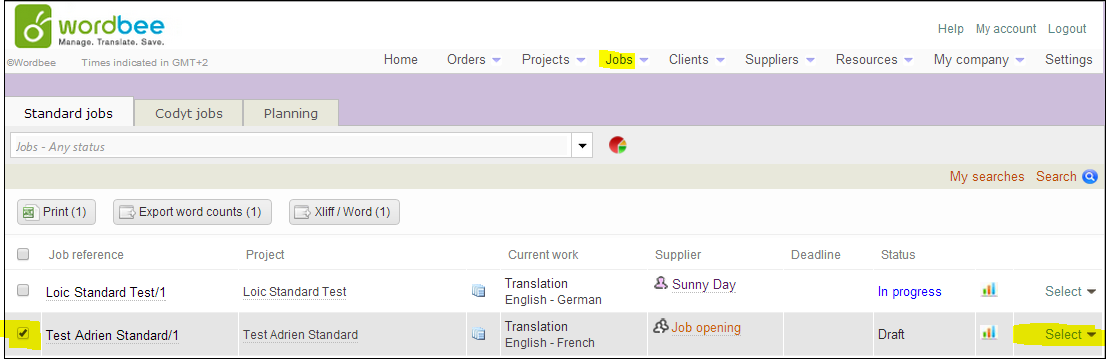
Jobs>Tick the job>Press Select
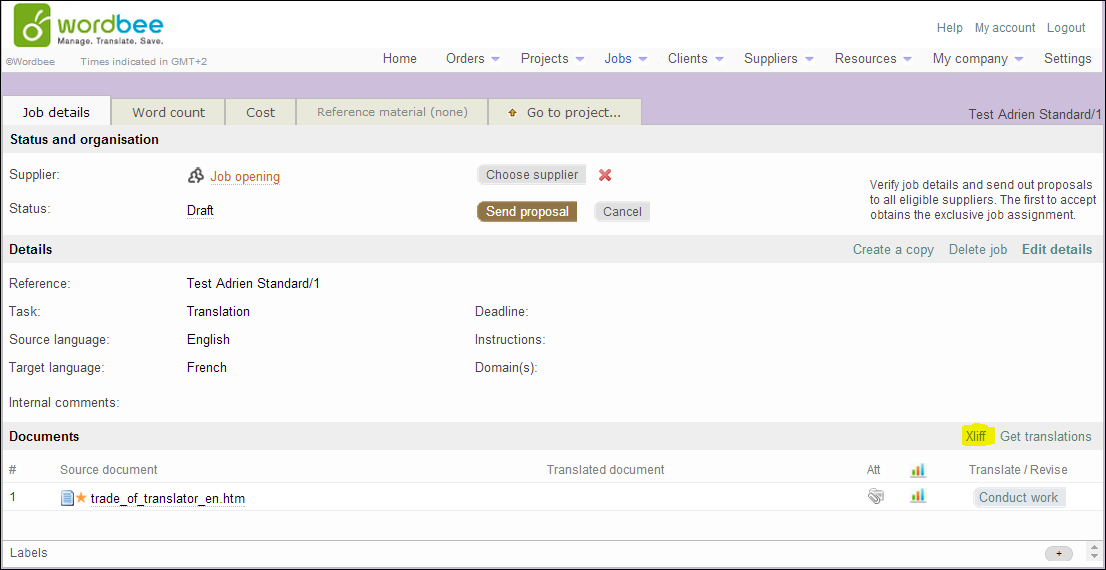
Click on Xliff
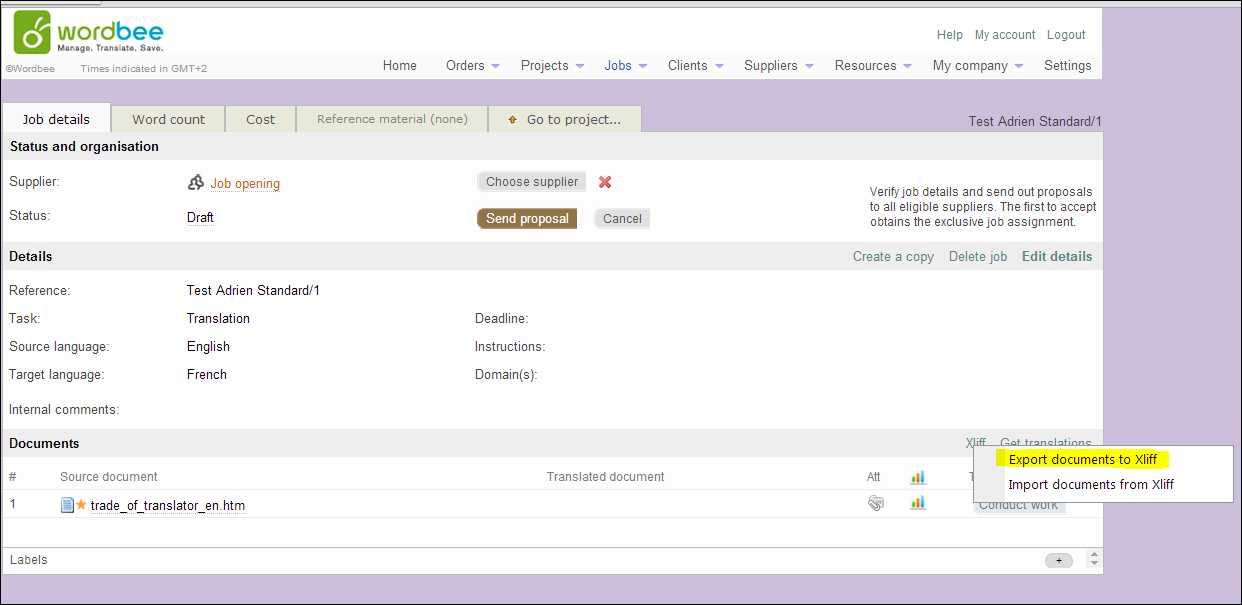
Export document to Xliff
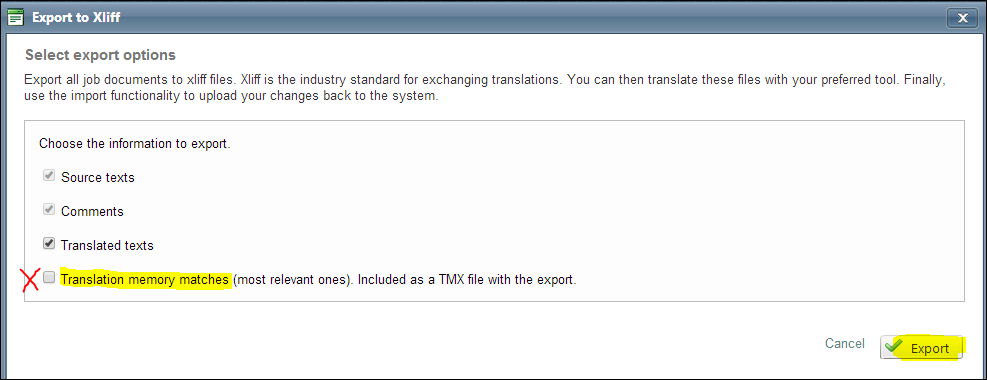
Export (if you want to export the memory as well you need to tick "Translation memory matches")
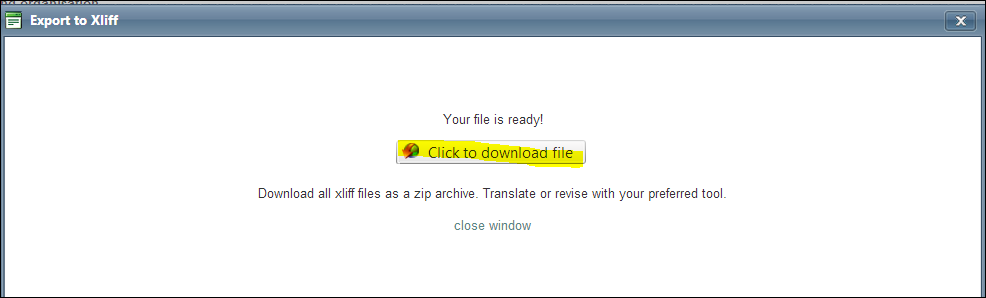
Wait few seconds>close> click on "click to download file" and it is done
To Import the Xliff you need to follow the same steps until you have the choice between export and "Import document Xliff" so choose Import a window will open>Select your document to import
A window will open>Select your document to import>Press Analyze files>

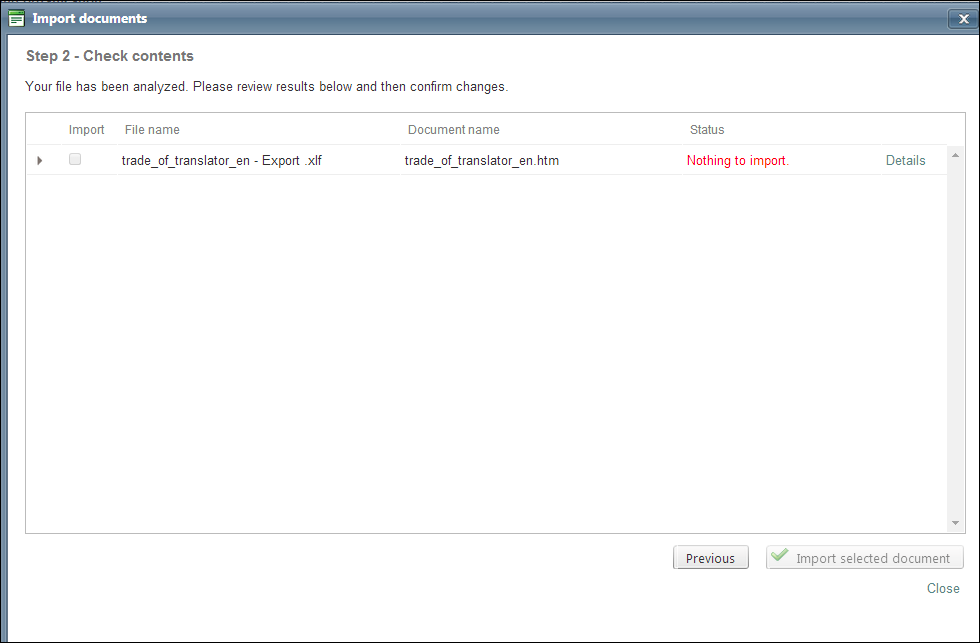
You will see the status of your document.
In my case, I did not make any changes in the document exported so when I imported it I got the red message.
Done
Comments
2 comments
As a freelance translator, I do not see the XLIFF button. Does this require specific rights?
Hello Pascal,
Yes, it can be granted through the access rights of the user profile.
Please sign in to leave a comment.